
Kiro Crew after one week (and more than 5,000 credits)
Kiro
Deep dives into Kiro-specific features as they ship: Automations, Skills, and other advanced capabilities beyond the 101 basics.
2 articles
I have spent the past week using Kiro Crew with all of my personal projects (the ones you can see on my projects page), in my free time. More than 5,000 credits in seven days. I took the opportunity to make improvements across all of them, taking advantage of the shared context between sessions.
Until now I had used Kiro as an IDE (with Agent Focus), as a CLI, and as a web app. Kiro Crew is a different thing, and this article is my experience after a week using it daily: what it is, how I have been using it, what I like, and what I would improve. Even after more than 5,000 credits, there is a lot I have not tried yet: dynamic workflows, the Knowledge Library as a visual graph, the Apps I have not touched, and the experiment of running it from an EC2 during my holiday.
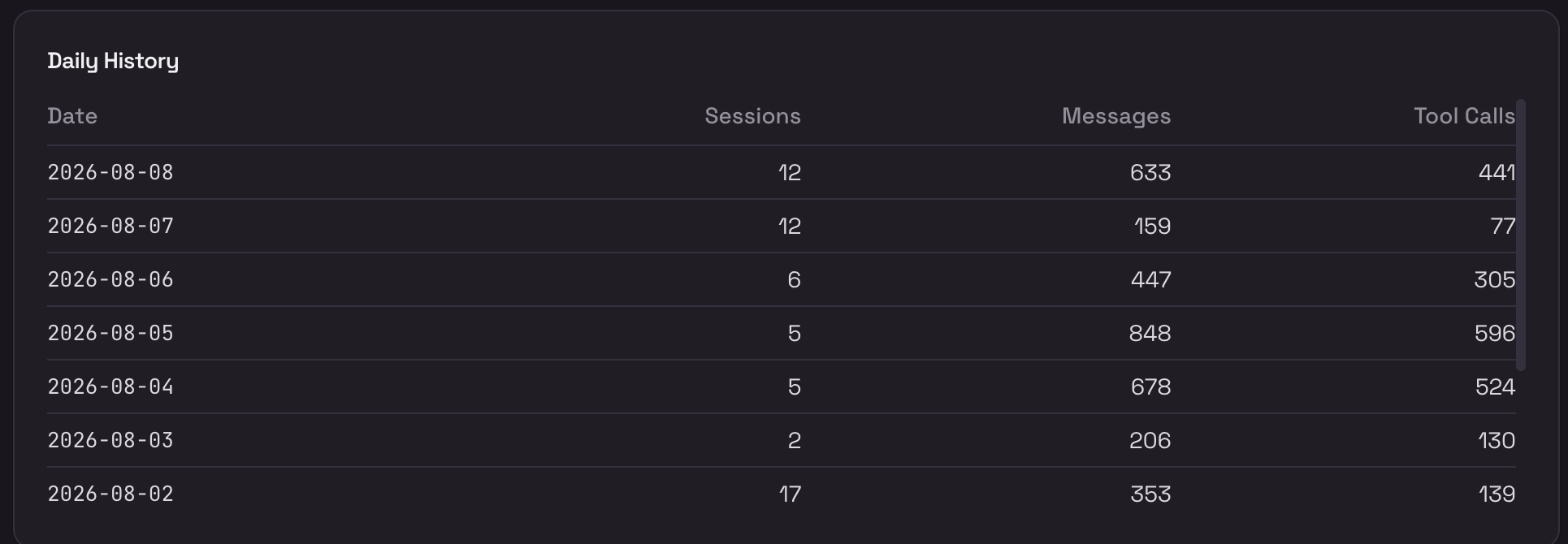 My first week with Kiro Crew: up to 17 sessions and 848 messages in a single day
AWS announced it this week and released it as open source on GitHub.
Kiro Crew started as an internal Amazon project called MeshClaw, inspired by the momentum of OpenClaw and other self-learning agent platforms. In under six months it spread to over 39,000 builders with around 500 contributors. That adoption is what convinced the team to open source it.
1. What Kiro Crew is
Kiro Crew runs locally on your machine, on top of kiro-cli (the same engine behind all Kiro products). You use it from the desktop app, a web dashboard, a TUI, or messaging bots (Slack, Telegram, Discord, Teams).
The shortest definition I can give: the IDE and the CLI help with the work you are doing in a session. Kiro Crew is for work that needs to survive and continue beyond that session. Persistent context across days and projects, tasks that run on a schedule, triggers by events, remote access from your phone, and a single place where you see everything.
The engine (planning, reasoning, editing, subagents) is the same one Kiro already uses. What Crew adds is the orchestration layer around it.
2. How I have been using it
Multi-project without several IDEs open
One of the things that made the biggest difference for me. My personal laptop is fairly light, and having several IDE windows or CLI sessions open at once used to saturate it constantly. Now I open one dashboard session per project, point it at its repo, and switch between them. My machine breathes again.
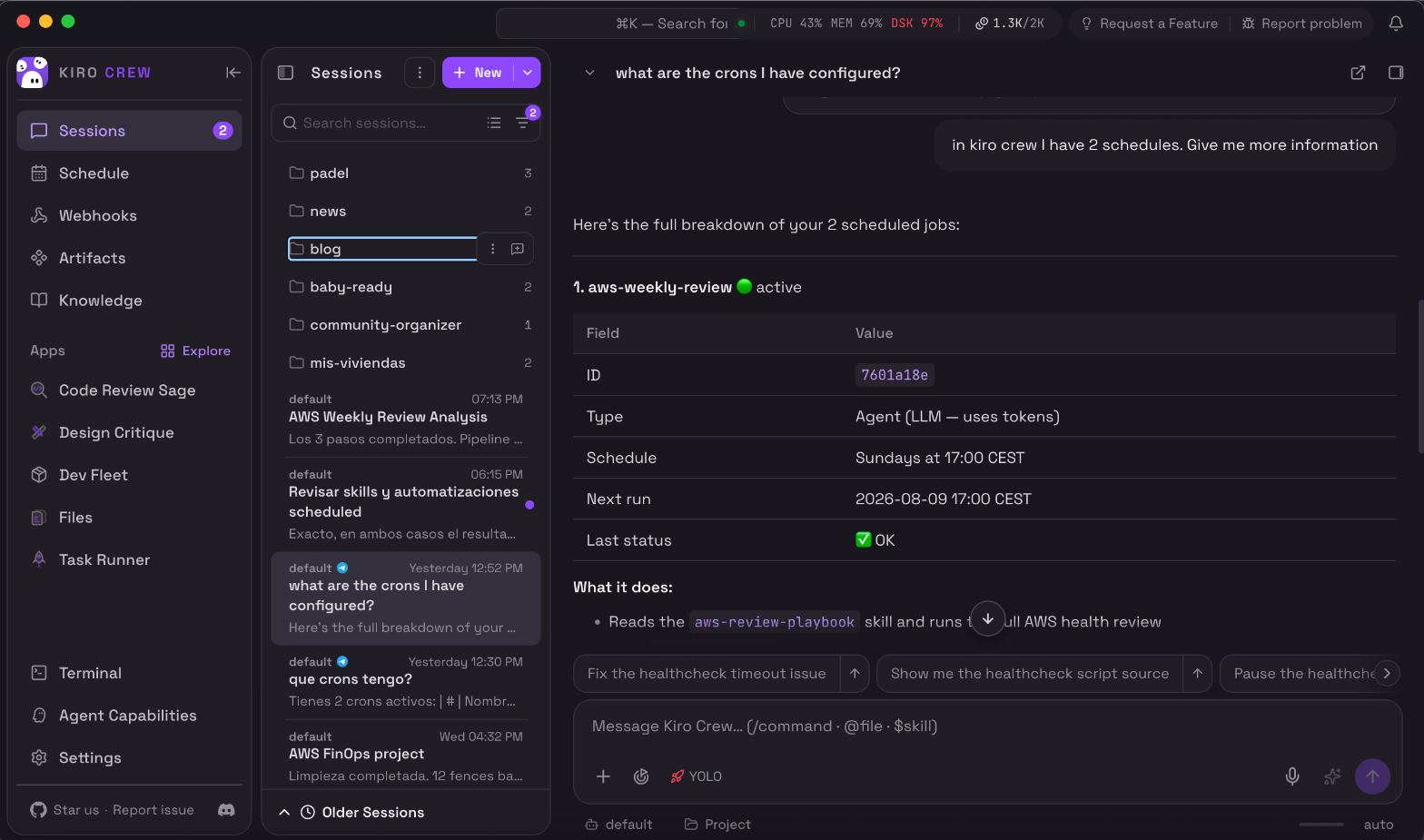 The dashboard: session folders by project, Apps in the sidebar, and the current conversation
Context that persists across sessions and across projects
In the IDE or the CLI, each session already keeps its own context while you are in it. What is new here is that Kiro Crew carries context between sessions and between projects automatically. The decisions we made yesterday, what I tried last week, why I ruled something out: all of that comes back without me re-explaining it.
It also connects across projects: the agent knows I have an AWS announcements hub, a community event platform, a padel app, and several more, and when something links them (a shared deploy pattern, an article I want to write about one of them) it already has the context.
Telegram as a remote control
I had always wanted to control an agent from my phone. Tools like OpenClaw already did this, but I had never found the time to set it up. With Kiro Crew, connecting Telegram was a matter of creating a bot with @BotFather, pasting the token into the config, and restarting. And I am enjoying it quite a bit.
Now I talk to the agent from my phone. Same tools, same memory, same crons as the dashboard. The first reply can take a moment (~30s-2min) while the agent loads context, but after that the conversation is fluid.
On top of that, using Kiro Crew pushed me to set up more Telegram notifications for my projects (connecting SNS to a bot). I now receive AWS alerts and cron results directly on my phone.
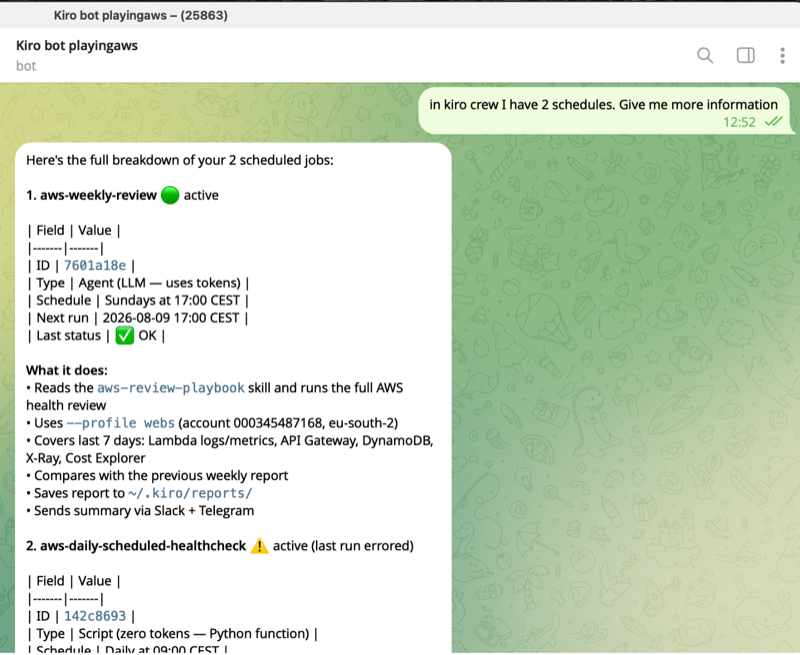 Talking to the agent from Telegram
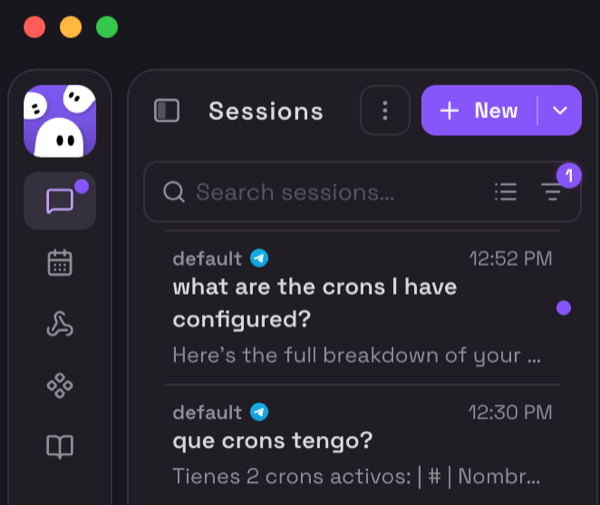 Telegram sessions are distinct in the dashboard
I have two Telegram bots: one for AWS alerts and notifications (alarms, cron results, contract expirations) and a separate one for talking to Kiro Crew as a chat interface. I keep them separate so I can mute the alerts bot without muting the agent.
Scheduled tasks
Before Kiro Crew, if you wanted something to run on a schedule you had to set up a local cron, a Lambda with EventBridge, Step Functions, or something similar. Now there is an option built into the Kiro ecosystem. I have set up:
- A weekly AWS review every Sunday. Scans my Lambda metrics, looks for throttles, errors, and unexpected costs.
- A daily health check (zero tokens, a lightweight script) that queries CloudWatch for my ~90 production Lambdas and pings me on Telegram if any failed or stopped running.
They run on a timer, notify me only when something is wrong, and I configured them once. I can also trigger any of them manually by pressing Run at any time.
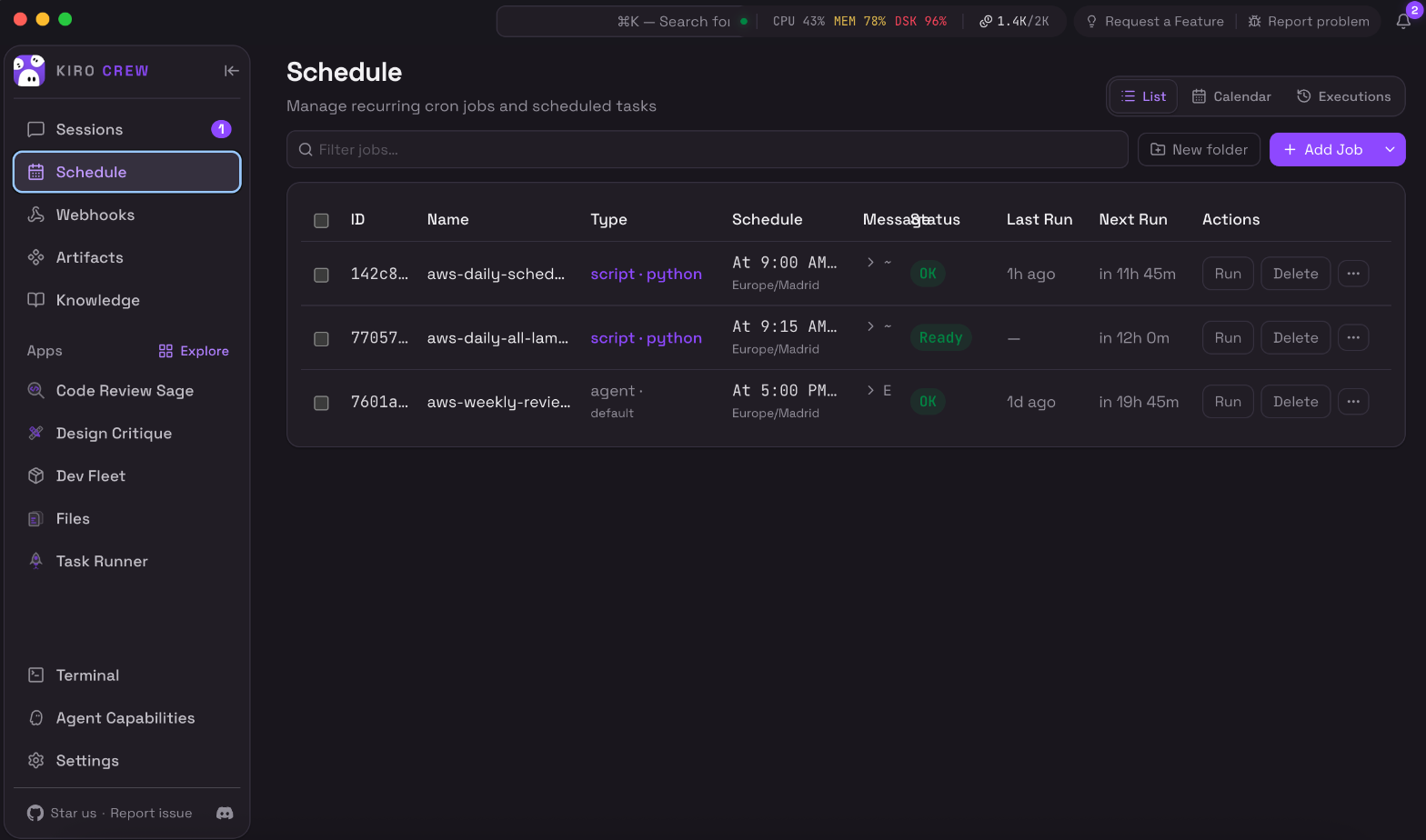 Scheduled jobs: a daily health check (script, zero tokens) and a weekly AWS review (full agent)
The PR-first flow
When it is time to integrate changes, Kiro Crew works PR-first. It never pushes to your main branch (it has a built-in protection that prevents it). The flow looks like this:
- Creates a feature branch from
main - Runs validation locally (lint + typecheck + tests)
- Squashes everything into a single commit
- Pushes and opens the PR against
main - CI runs on GitHub (lint, tests, build, deploy-test)
- You review and merge when you are ready
The dashboard has a Changes tab that tracks the PR, its checks, and the review threads in real time.
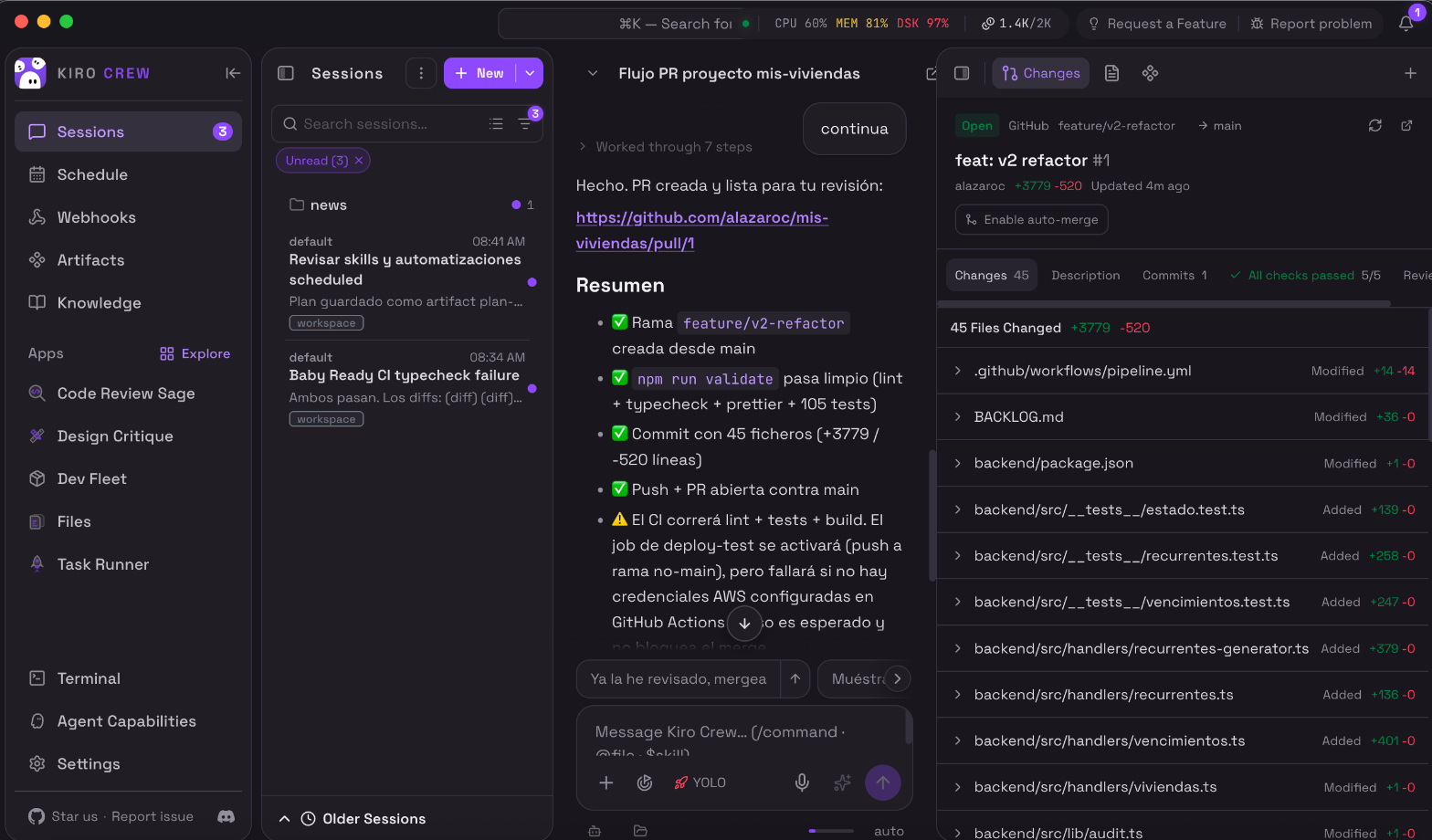 The session shows the PR summary, and the Changes panel tracks it live
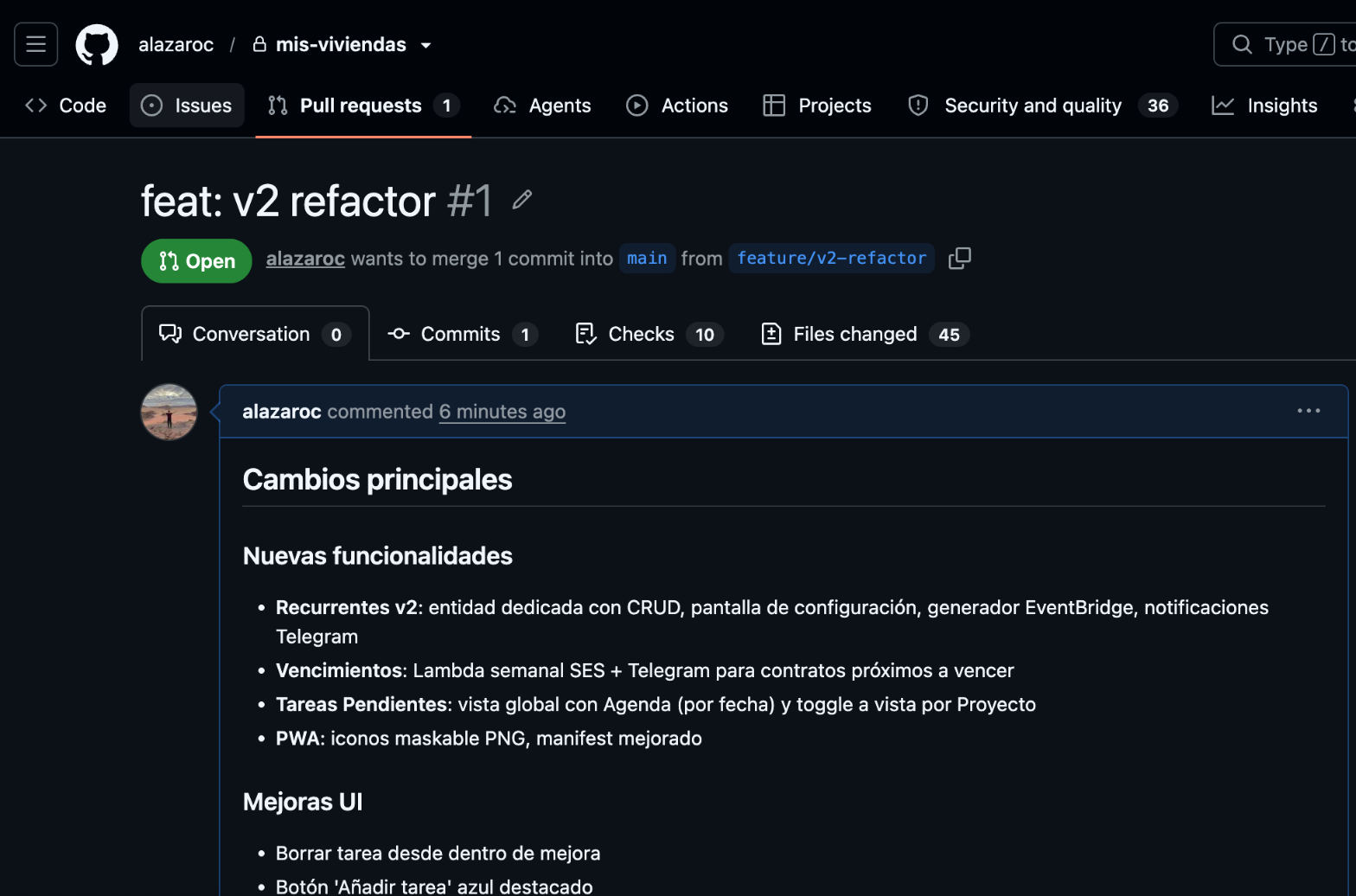 The actual PR on GitHub: one squashed commit, all checks passing
3. Where it runs (and the “walk away” question)
One thing I had to understand: Kiro Crew runs where you run it.
- On your laptop (default): it works while the machine is on. “Launch it and walk away” means leaving the machine running. What always survives is the state: sessions, checkpoints, and memory are on disk. Close everything, come back later, and you pick up where you left off with the full context intact.
- On a remote machine:
kirocrew cloud launchprovisions Kiro Crew on an Amazon EC2 instance in your own AWS account (through an AWS CloudFormation stack it creates for you). The instance keeps running with your laptop closed. You start, stop, or destroy it yourself. Same Kiro agent, same credits, your infrastructure.
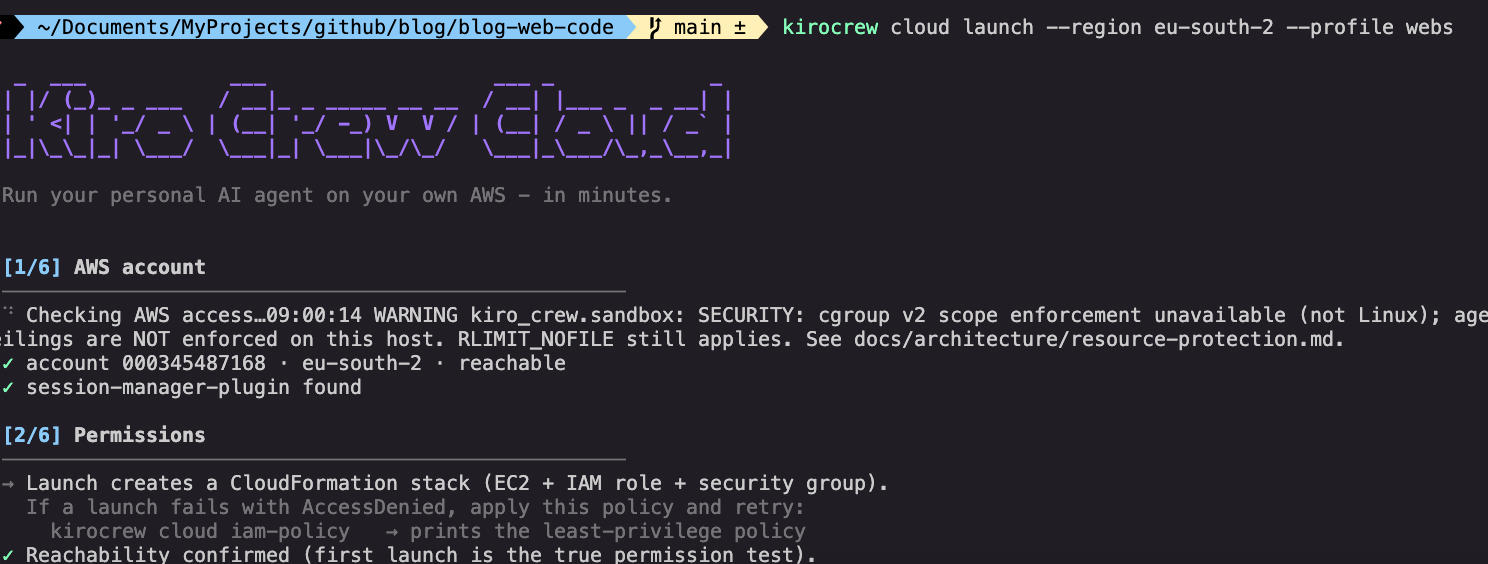 The
The kirocrew cloud launch wizard: checks your AWS account, permissions, and provisions the EC2 in minutes
Next experiment. I am going on holiday next week with only my phone. The plan is to set up Kiro Crew on an EC2 with some of my repos cloned and run it from the beach via Telegram. Pure experiment, not a necessity. If it works, I will write about it.
4. What I like most
- Memory across sessions. Not just the static rules from steering files, but the history of what we have done, the decisions we made, and the corrections I taught it.
- Scheduling. This did not exist before in Kiro.
- Multi-project from one dashboard. No more windows saturating my laptop.
- Telegram integration. Quick queries and alerts straight to my phone, no laptop needed.
- PR-first guardrails. The agent writes code but I decide what gets merged.
- Open source. When something is missing I can open an issue and anyone can build it.
5. What I would improve
I am a Kiro Ambassador and I genuinely like the tool. These are notes from someone who uses it every day and sees where it can grow. It is open source, so any of these are things that can be proposed or built by the community.
- Visibility over code changes. Everything is very agent-oriented. Coming from the IDE, I miss seeing diffs, staging files, and managing commits before they leave my machine. I opened a feature request for a git changes panel.
- Per-project quick actions. Open the IDE for that project, or a terminal, with one click. Another feature request.
- Credits disappear fast, and you cannot see where they go. I went through 5,000+ in a week. The default model is a strong (expensive) one, and there is no breakdown by model or session. I would love the same visibility the IDE already gives you: what model, what cost, where the tokens went. I opened an issue and the team acknowledged it as a real need that requires design work before implementation.
- Switching users is confusing. After running out of credits I created a new Pro user, and it took several restarts before the app picked it up. There is no clear indicator of which account is active.
None of this stops me from using it every day. It is a young tool moving fast, and these are things the community can push forward.
6. Who it is for
If you are an IDE developer and want tight control over the code, the commits, and every detail, the IDE is still the right place for that. Kiro Crew is not replacing the IDE. It is a new surface for the same Kiro engine, useful when the work is parallel, persistent, scheduled, or remote.
Today you can use Kiro as an IDE, as a CLI, as a web app, or as Kiro Crew. They are all different, and they share the same engine and the same .kiro configuration.
7. Where to get it
Kiro Crew is free, open source, and runs locally on macOS and Linux. Windows is not supported for local install, but Windows users can use kirocrew cloud launch to run it on a remote machine.