
I Don't Like Kubernetes, and It's Not About the Technology
Kubernetes on AWS
What Kubernetes is and what Amazon EKS brings, how to choose between Lambda, ECS on Fargate or EKS on AWS, and my view as an architect on when its complexity is worth taking on.
3 articles
I don’t like Kubernetes. I say it as an architect and not as a criticism of the technology, which is powerful and well designed: what I dislike is what it demands. It takes a lot of knowledge to understand, it has to be maintained continuously, and that maintenance has a cost. My design criterion is a different one: choose the solution that meets all the customer’s requirements and is the easiest to maintain.
This article is the third part of a series, the opinion one, and it can be read without the previous ones. The basic concepts of Kubernetes and Amazon EKS are in Part 1, and the comparison between Lambda, ECS with Fargate and EKS, with its decision tree, is in Part 2.
What follows is a personal opinion, based on my experience as an architect. It is not a recommendation for every context: if yours is different, it is reasonable that your conclusion is too.
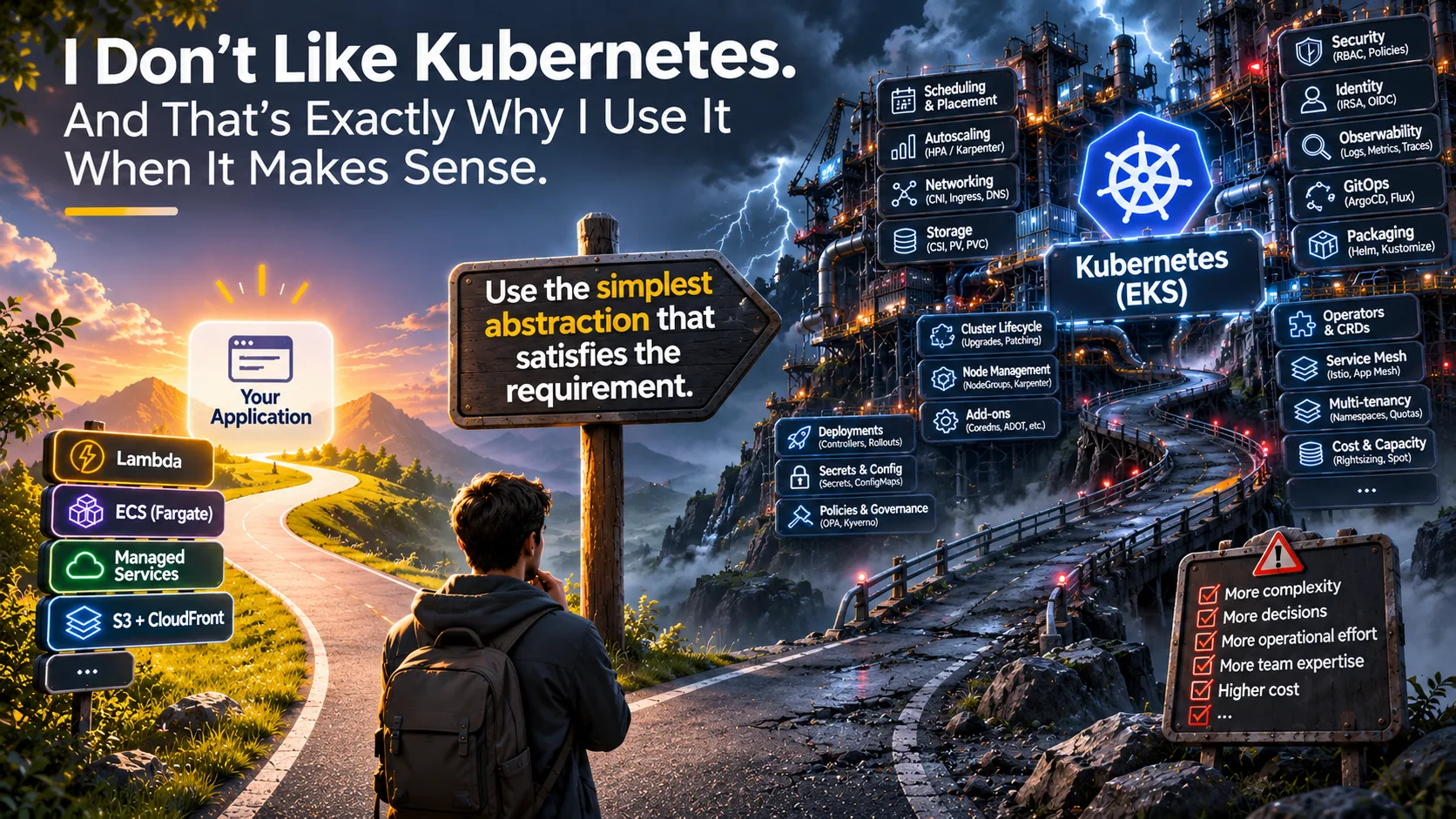 AI-generated illustration for this article; it sums up the idea: use the simplest abstraction that satisfies the requirement.
My criterion: requirements met and minimal maintenance
My design criterion has two parts: meet all the customer’s requirements and, among the options that do, choose the one that is easiest to maintain. In practice I start from the service that leaves the least infrastructure in my hands and only move up a level when a concrete requirement demands it.
With that criterion Kubernetes is almost never the starting point. Not because it fails to meet requirements, but because it usually meets them with more pieces, more decisions and more recurring work than other options. The next two sections detail that cost, and the third analyses the argument most often used to justify it.
What I dislike: complexity, knowledge and maintenance
My experience with EKS on enterprise platforms points in one direction: running the application containers was the easy part. The difficulty was around them. Kubernetes takes a lot of knowledge to understand and then it has to be maintained: upgrades, add-ons, nodes, scaling, GitOps, isolation between teams and switching off the environments nobody uses (I cover the cost side in FinOps on AWS).
If the criterion is the easiest solution to maintain that meets the requirements, that recurring work belongs in the comparison just like price or performance.
The version calendar
Kubernetes ships a minor version roughly every four months and EKS follows that pace. According to the EKS versions documentation, each version gets 14 months of standard support followed by 12 months of extended support, which costs more. On the pricing page, the per-cluster fee goes from $0.10 to $0.60 per hour.
What matters most to me is what happens when extended support ends: EKS upgrades the control plane automatically, at a time you don’t choose. The deadline is known in advance: it appears in the version calendar and, for the end of standard support, AWS sends a notice through AWS Health at least 60 days ahead. What is not announced is the exact moment of the automatic upgrade, which can happen at any time after that date. Add-ons and nodes remain your responsibility, so it is better to upgrade earlier, at your own pace.
Each upgrade is a small project: checking that add-ons, controllers and CRDs (the Kubernetes API extensions installed in the cluster) support the new version, upgrading nodes or AMIs, testing deployments and having someone available in case something fails.
What not upgrading costs
The fee difference looks small per hour, but it adds up. These are the figures per cluster, calculated with 730 hours per month and 8,760 hours per year:
| Standard support ($0.10/h) | Extended support ($0.60/h) | Difference | |
|---|---|---|---|
| Per month | $73 | $438 | +$365 |
| Per year | $876 | $5,256 | +$4,380 |
| 3 environments (dev, pre and prod), per year | $2,628 | $15,768 | +$13,140 |
This is only the control plane fee of each cluster. It does not include nodes, storage, traffic or any other cost, and the rates are the ones published on the EKS pricing page at the time of writing.
The extra cost depends on the cluster’s upgrade policy (the supportType property). With EXTENDED, the default, the cluster enters extended support and pays the higher fee. With STANDARD there is no extended support charge, in exchange for EKS upgrading the cluster automatically when standard support ends. Once a cluster is in extended support, it cannot go back to STANDARD until it runs a version in standard support.
Even so, the fee is the least of it. The real cost is the engineering time of each upgrade (checking compatibility, upgrading nodes and add-ons, testing and deploying) and the on-call duty of whoever runs it and watches the result. To stay in standard support you have to move up a version at least once every 14 months, on every cluster and every environment, and that work should be budgeted from the start.
With Amazon ECS on AWS Fargate that work doesn’t exist in that form: there is no orchestrator version calendar to follow and no cluster add-ons to maintain, and AWS manages the control plane and the infrastructure where tasks run. There is still work (images, dependencies, configuration), but not a version cycle of the orchestrator itself.
What AWS does and what remains yours
EKS has been absorbing part of that work, but not all of it. This table sums up what AWS manages and what remains yours in each option (the details are in Part 1):
| Managed by AWS | Still yours | |
|---|---|---|
| Standard Amazon EKS (AWS runs the control plane; you manage the nodes) | The control plane: API Server, Scheduler and etcd with high availability, and their patches | The nodes and their upgrades (managed node groups or Karpenter), the add-ons (VPC CNI, CoreDNS, kube-proxy, CSI drivers, AWS Load Balancer Controller), version upgrades and the workloads |
| EKS Auto Mode (EKS where AWS also manages the nodes and the core cluster components) | Compute and node scaling, Pod networking, load balancers, DNS, block storage and node upgrades, with nodes replaced at most every 21 days | The workloads, your own add-ons and controllers, Pod Disruption Budgets and custom NodePools |
| EKS Capabilities (platform tools that AWS runs for you, outside your nodes) | Argo CD (GitOps), ACK (AWS resources from Kubernetes) and kro (resource composition), with an hourly charge | The repositories, application definitions and policies |
Two terms from the table, one sentence each:
- Pod Disruption Budget (PDB): limits how many Pods of an application can be down at the same time. If it is too strict, it blocks node replacement and upgrades.
- NodePool: defines which kind of nodes Auto Mode can create (for example, specific instance types or Spot). The default ones are left untouched, and the custom ones are yours to maintain.
What the table doesn’t show is still yours: observability, security and RBAC (Kubernetes access control), who is on call, and the knowledge the team needs to diagnose a problem when it shows up. Auto Mode and Capabilities remove a lot of work, but Kubernetes is still there: if the team didn’t need Kubernetes, they have added it anyway.
Portable doesn’t mean Kubernetes
Portability usually appears in the default requirements list of every new architecture: scalable, secure, highly available and portable. Almost always with the same argument: in case we ever have to change provider. And almost always it is translated automatically into Kubernetes, without pinning down which risk it covers, how likely it is or within what timeframe.
We need it to be portable.
That precaution has a certain and continuous cost: platform complexity, permanent maintenance, and knowledge the team has to acquire and keep. In return it offers a hypothetical benefit that, in the projects I have seen, has rarely materialised. I’m not saying the requirement is illegitimate, but that it should be treated like any other: pinned down and costed before it is accepted.
I have three arguments:
- New developments in isolated accounts with a handful of microservices don’t justify EKS for portability. There is no platform to take advantage of, and the whole cost of building and maintaining one falls on the project.
- What is portable are the applications, not the platform. With standard images they run the same on Amazon ECS, on EKS or on your own server, and the platform has to be rebuilt when changing provider, Kubernetes included. What doesn’t travel with the cluster is detailed in Part 2.
- A cloud-native development is already coupled to the chosen cloud. The coupling sits in identity (AWS IAM), queues (Amazon SQS), databases (Amazon DynamoDB, Amazon RDS), managed services in general and infrastructure as code, and Kubernetes does not remove it.
The portability you actually benefit from lives in layers that don’t require Kubernetes:
- infrastructure as code, so the environment can be recreated;
- clear API contracts, so consumers don’t depend on the provider;
- exportable data in open formats;
- business logic separated from provider integration, so changing a queue or a database touches one layer and not the whole codebase.
When I do choose Kubernetes
There are contexts where Kubernetes is the right decision. These are the cases that justify the platform, and the concrete requirements are developed in Part 2:
- Large customers with a cluster already running and many applications. The platform, the team and the processes already exist, so one more workload barely changes the cost.
- A regulatory requirement. A rule that forces you to be able to operate outside a specific provider.
- Multicloud that will be executed. A real strategy, not a future possibility.
- On-premises workloads. AWS offers EKS Hybrid Nodes and EKS Anywhere for this case. I have not used either of them in a real project, and I would be very interested in the experience of anyone who has.
Before accepting a portability requirement, I ask myself these questions:
- Which concrete risk does it cover (regulatory, contractual, strategic) and who has formulated it?
- How likely is it and within what timeframe? Is there a decision or a date, or is it a generic precaution?
- What would it cost to migrate what Kubernetes doesn’t cover (identity, data, managed services, infrastructure as code)?
- Is there already a Kubernetes platform with a team that maintains upgrades, add-ons and nodes, or would this project create it?
If, after answering them, the requirement still has a concrete risk and timeframe, EKS is a reasonable answer. If not, it is a preference, and preferences rarely justify a whole platform: the customer gets what they need with a platform that is simpler to operate.
Conclusion
Kubernetes does not come alone. It brings the complexity of a full platform, the knowledge it demands from the team, ongoing maintenance, and the cost of all of the above, paid every month even though nobody sees it on the architecture diagram. That is why I do not rule it out as an option, but I do not assume it from the start either: I choose it when a concrete requirement justifies it, and otherwise I look for the solution that covers the same needs with less to maintain.
Before adding Kubernetes to an architecture, I ask which requirement needs it and who is going to maintain it two years from now.
References
On this blog
- Kubernetes and EKS: Very Powerful, Very Complex and Not Always Necessary (Part 1)
- Do You Really Need Kubernetes? Lambda vs ECS vs EKS on AWS (Part 2)
- FinOps on AWS